

 Alvin's blog
Introducing FocusTimer - A Modern Desktop Productivity App

🌏 Language / 语言: English | 中文版 (Chinese Version)
🎯 Introduction
I’m excited to share my latest project - FocusTimer, a modern desktop focus timer application designed to help you stay productive and manage your time effectively. Built with cutting-edge technologies like Tauri 2.0, React 19, and Rust, this cross-platform app brings the power of the Pomodoro Technique and flexible time tracking to your desktop.
💡 Why I Built This
As a software developer, I’ve always struggled with time management and staying focused during work sessions. While there are many timer apps available, I wanted something that:
- Runs natively on my desktop with minimal resource usage
- Tracks time flexibly - both countdown and forward timing modes
- Organizes tasks into meaningful groups
- Provides detailed statistics to understand my time allocation
- Works offline without any cloud dependency
- Looks modern with a clean, customizable interface
That’s when I decided to build FocusTimer using Tauri - a framework that combines the power of Rust with the flexibility of web technologies.
✨ Key Features
🎯 Task Management
FocusTimer allows you to organize your work into task groups and individual tasks. For example, you might create a “Work Projects” group with tasks like “Code Review”, “Feature Development”, and “Bug Fixes”, or a “Learning” group with tasks for different subjects you’re studying.
Task Creation Options:
- Preset times: Quick select 25, 30, 45 minutes, or 1 hour
- Custom duration: Set any specific time in minutes
- Forward timer: Unlimited timing to track actual time spent
⏰ Flexible Timer Modes
The app supports two distinct timing modes:
- Countdown Mode: Set a fixed duration and watch the timer count down to zero - perfect for the Pomodoro Technique
- Forward Timer Mode: Start an unlimited timer to track exactly how long you spend on a task
Both modes feature:
- Large, readable time display
- Visual progress bar (countdown mode)
- Pause, resume, stop, and reset controls
- Customizable backgrounds for different states
📊 Comprehensive Statistics
One of my favorite features is the powerful statistics system. You can:
- View stats across multiple time periods: today, this week, last 15 days, this month, or custom date ranges
- Analyze by task or by task group
- See detailed metrics: total duration, session count, completion rate
- Toggle between chart view and list view for different perspectives
- Interactive pie charts showing time distribution across tasks
The statistics help you understand where your time goes and make informed decisions about time allocation.
🎨 Customization
Make the timer your own:
- Background options: solid colors, gradients, or custom images
- Separate backgrounds for running and paused states
- Transparency controls for a subtle, elegant look
- Multi-language support: Full Chinese and English interfaces
🛠️ Technical Stack
Building FocusTimer was an exciting technical journey. Here’s what powers it:
Frontend
- React 19: Latest features for a smooth, reactive UI
- TypeScript: Type safety and better developer experience
- Vite: Lightning-fast development and optimized builds
- Recharts: Beautiful data visualizations
- Lucide React: Clean, consistent icons
Backend
- Rust: Memory-safe, blazingly fast backend logic
- Tauri 2.0: Modern framework for building lightweight desktop apps
- SQLite + SQLx: Type-safe database operations with zero runtime overhead
- date-fns: Powerful date manipulation
Why Tauri?
I chose Tauri over alternatives like Electron because:
- Smaller bundle size: ~3-5 MB vs 100+ MB for Electron apps
- Lower memory footprint: Uses the system’s webview instead of bundling Chromium
- Native performance: Rust backend handles heavy lifting efficiently
- Security: Built-in security features and careful API design
- Cross-platform: Single codebase for Windows, macOS, and Linux
📸 Screenshots
Here are some glimpses of FocusTimer in action:
Main Interface
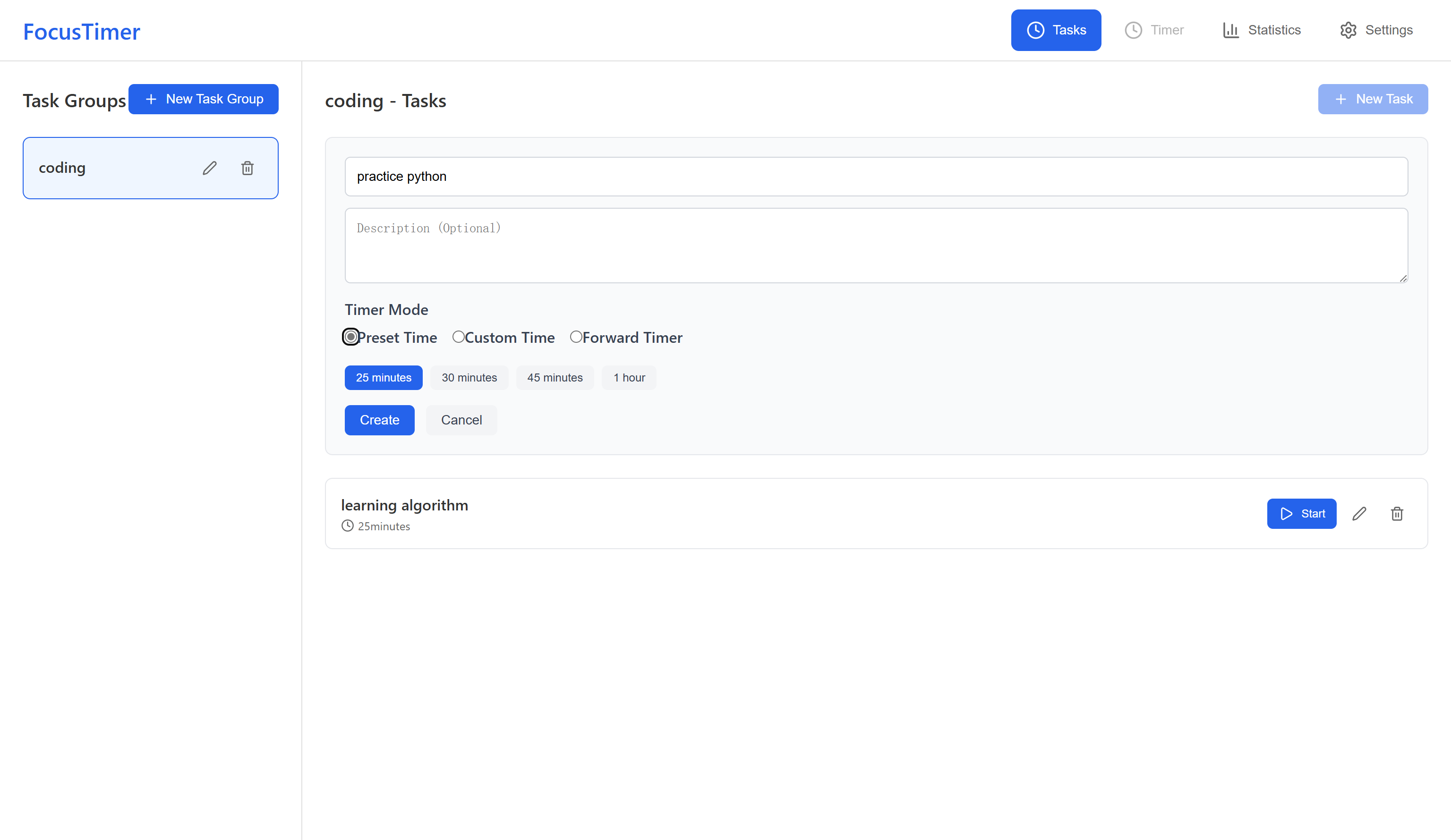
The main interface shows all your task groups and tasks at a glance. You can quickly create, edit, or start any task with just a few clicks.
Timer Interface
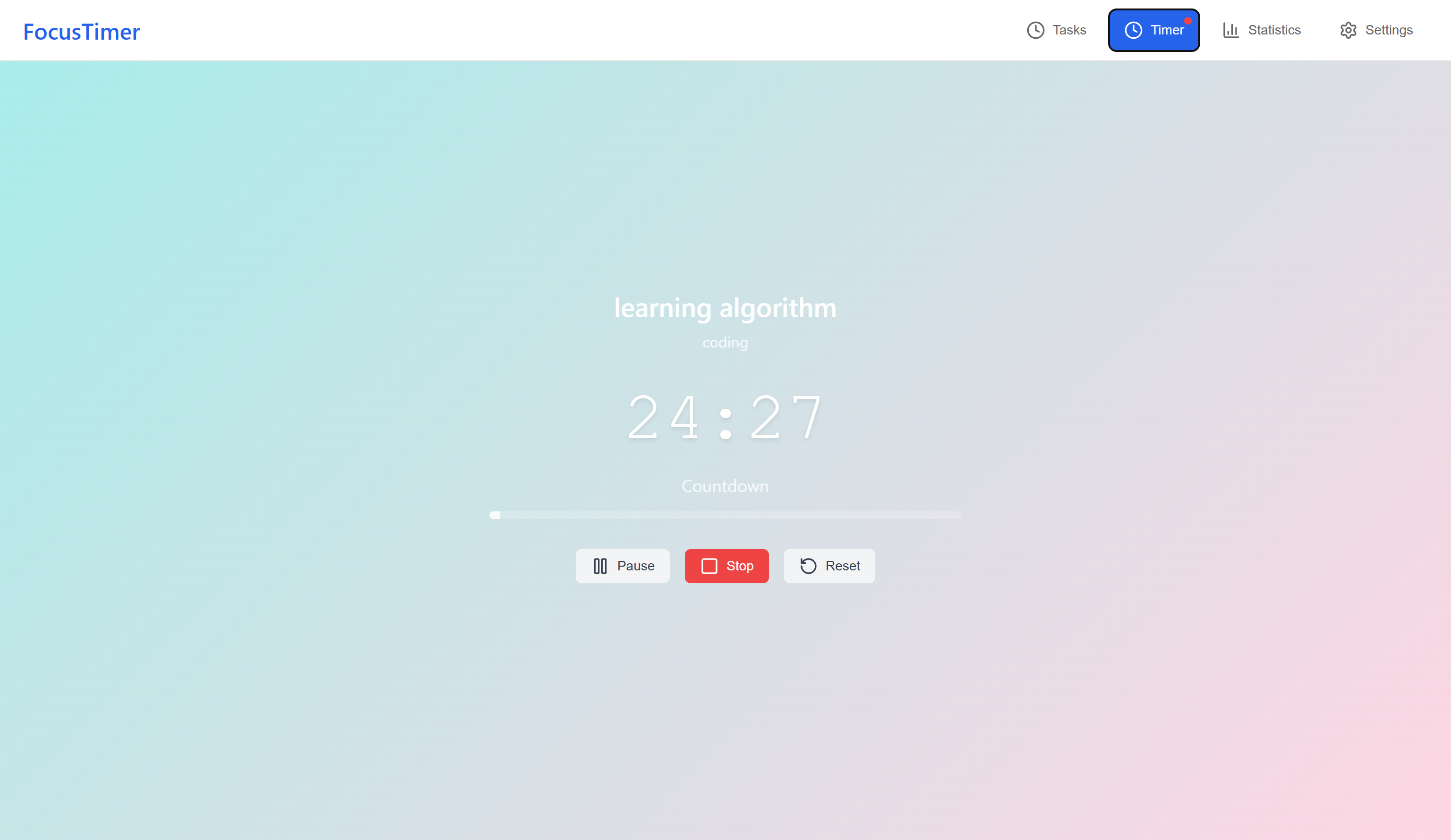
When a task is running, the timer displays in large, readable format with a progress bar. The clean interface keeps you focused on the task at hand.
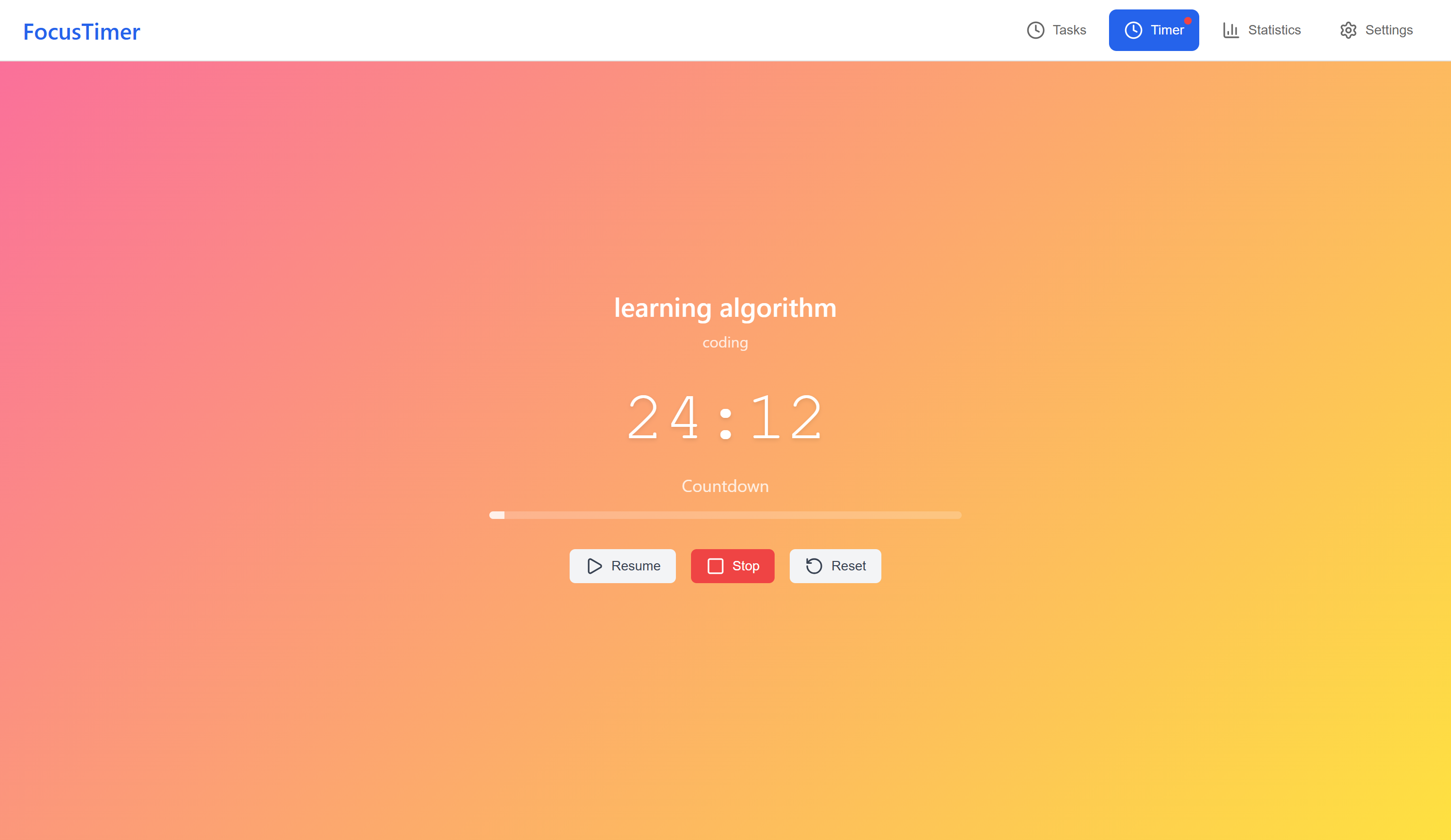
The timer in paused state with custom background.
Statistics Dashboard
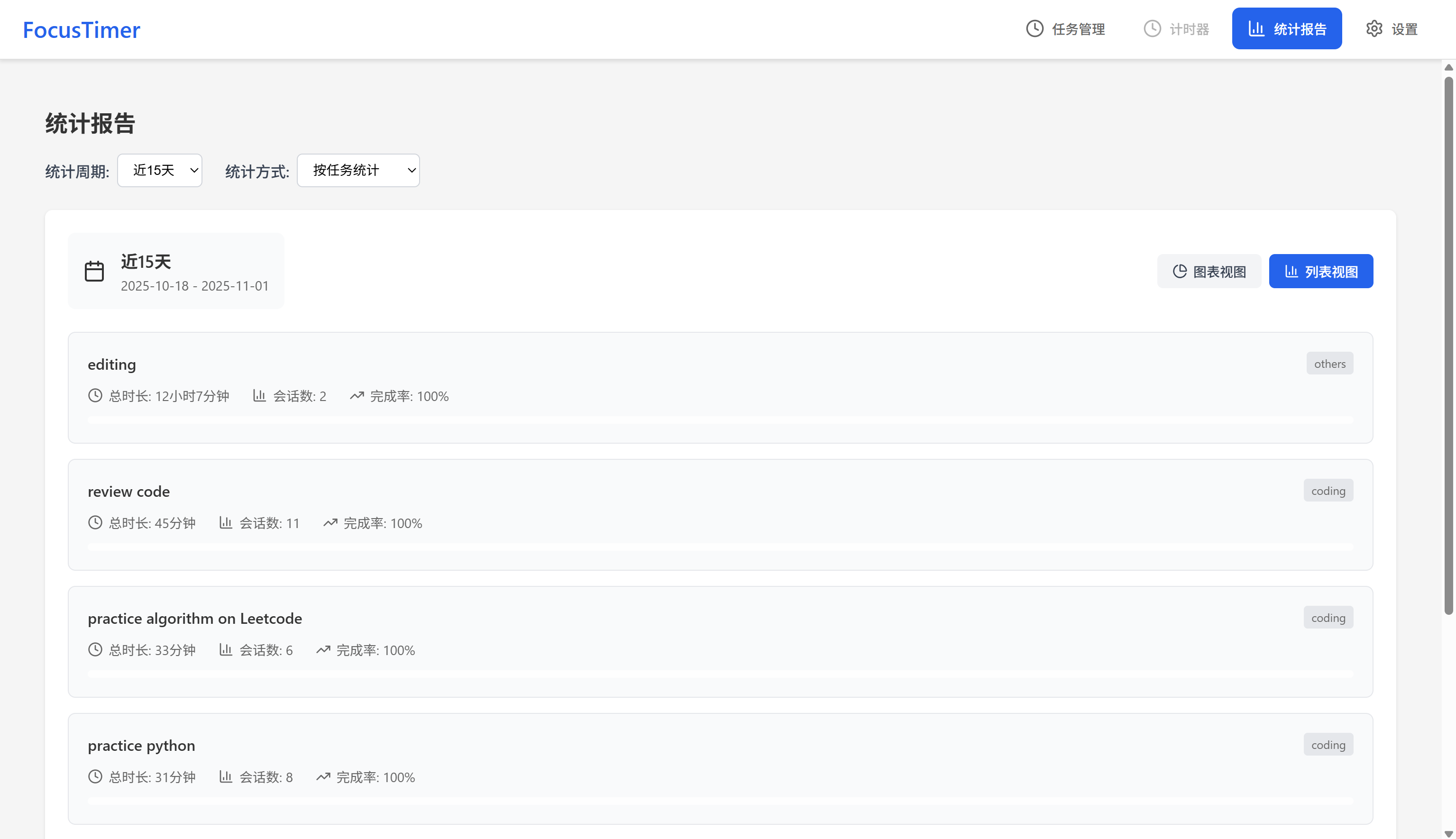
The statistics view offers both interactive pie charts and detailed list views. Switch between different time periods to analyze your productivity patterns.
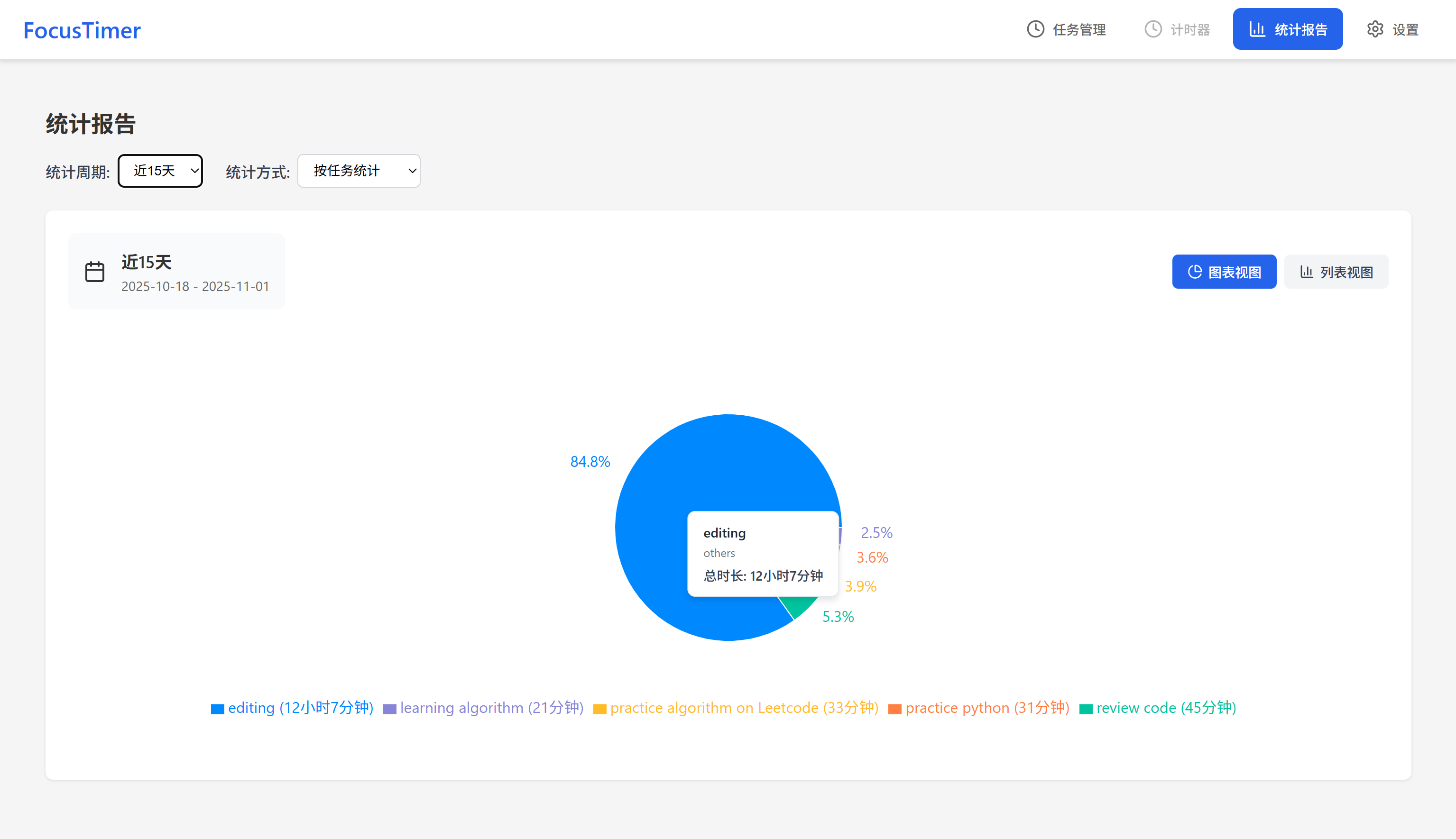
Interactive pie chart showing time distribution across tasks with detailed metrics.
Settings Panel
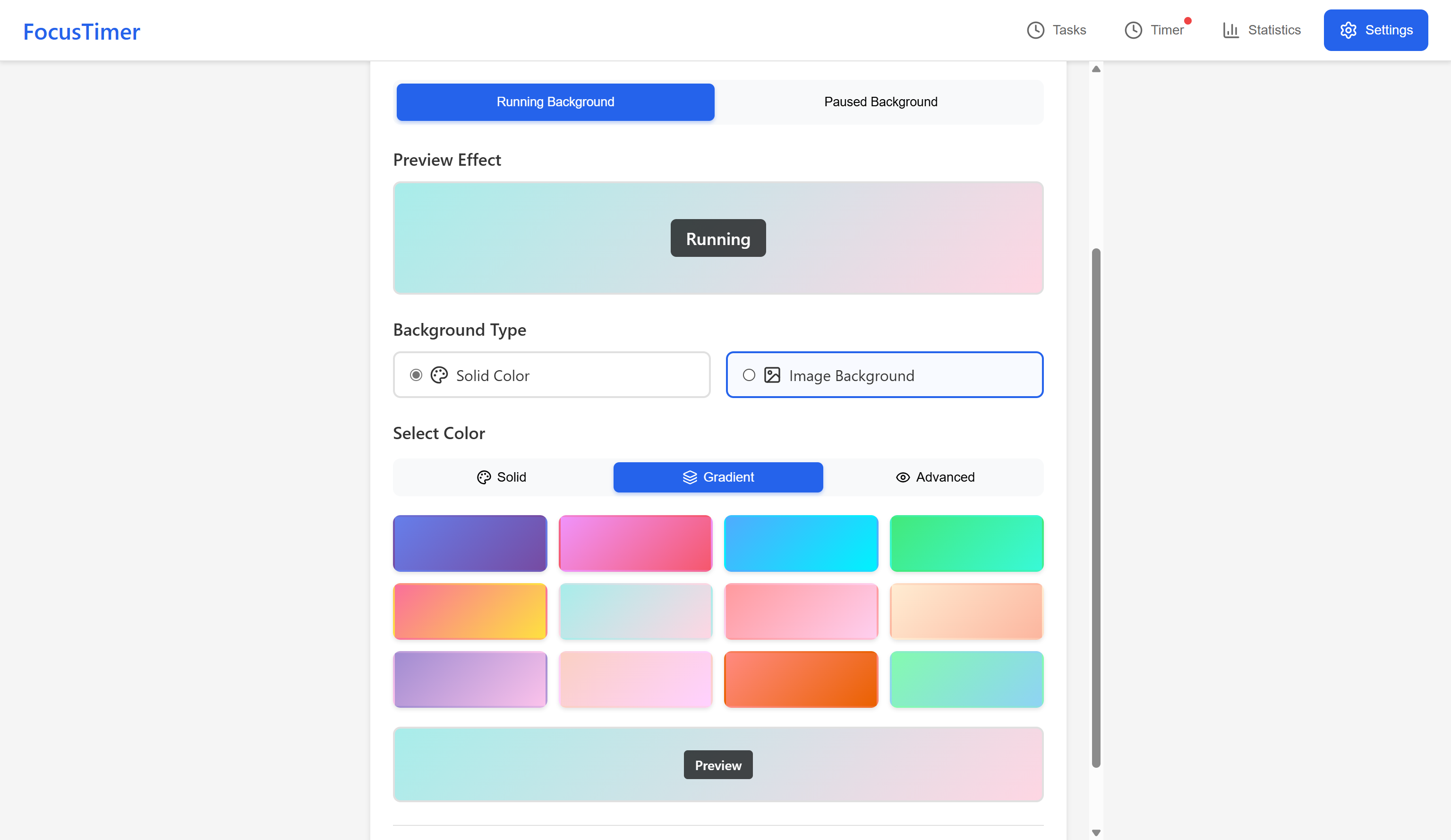
Customize backgrounds, adjust transparency, and switch languages - all from the intuitive settings interface.
🎓 What I Learned
Building FocusTimer taught me a lot:
- Rust Async Programming: Working with SQLx and async operations in Rust
- Tauri Architecture: Understanding the IPC bridge between Rust backend and JavaScript frontend
- State Management: Handling complex state across timer sessions, tasks, and statistics
- Data Visualization: Creating meaningful charts with Recharts
- Cross-platform Development: Testing and optimizing for different operating systems
- Database Design: Structuring SQLite tables for efficient queries
🚀 Getting Started
Want to try FocusTimer? Here’s how:
Prerequisites
- Node.js 18+
- Rust 1.70+
- Tauri CLI 2.0+
Installation
# Clone the repositorygit clone https://github.com/alvinluo-tech/tauri-FocusTimer.gitcd tauri-FocusTimer
# Install dependenciesnpm install
# Run in development modenpm run tauri dev
# Build for productionnpm run tauri build🔮 Future Plans
I have several exciting features planned for future releases:
- Sound notifications: Alert when timer completes
- Break reminders: Automatic break suggestions based on work patterns
- Data export: Export statistics to CSV or JSON
- Cloud sync: Optional cloud backup and multi-device sync
- Keyboard shortcuts: Enhanced keyboard navigation
- Themes: Pre-built color themes for different moods
- Timer presets: Save and reuse custom timer configurations
🤝 Contributing
FocusTimer is open source under the MIT License. If you find it useful or have ideas for improvements, I’d love your contributions! Whether it’s:
- Reporting bugs
- Suggesting new features
- Improving documentation
- Submitting pull requests
- Sharing the project with others
Check out the GitHub repository to get involved.
💭 Final Thoughts
Building FocusTimer has been an incredible learning experience. It’s amazing how combining modern web technologies with native capabilities through Tauri can create powerful, efficient desktop applications.
I use FocusTimer daily for my own work and study sessions, and it’s genuinely helped me become more aware of how I spend my time. The statistics feature, in particular, has been eye-opening - seeing exactly where my hours go motivates me to use time more intentionally.
If you’re interested in productivity tools, time management, or just curious about Tauri development, give FocusTimer a try! I’d love to hear your feedback and suggestions.
Links:
部分内容可能已过时